
Amazon Prep
Barcode Scan Verification: How We Stop FNSKU and Transparency Label Errors

By Alice Wu, CEO & Founder Published
Short answer
Barcode scan verification for FBA labels means scanning every printed and applied label to confirm it decodes, matches the right SKU or FNSKU, is not a duplicate, and that counts reconcile. It catches most label errors before cartons are sealed, when they are still easy to fix.
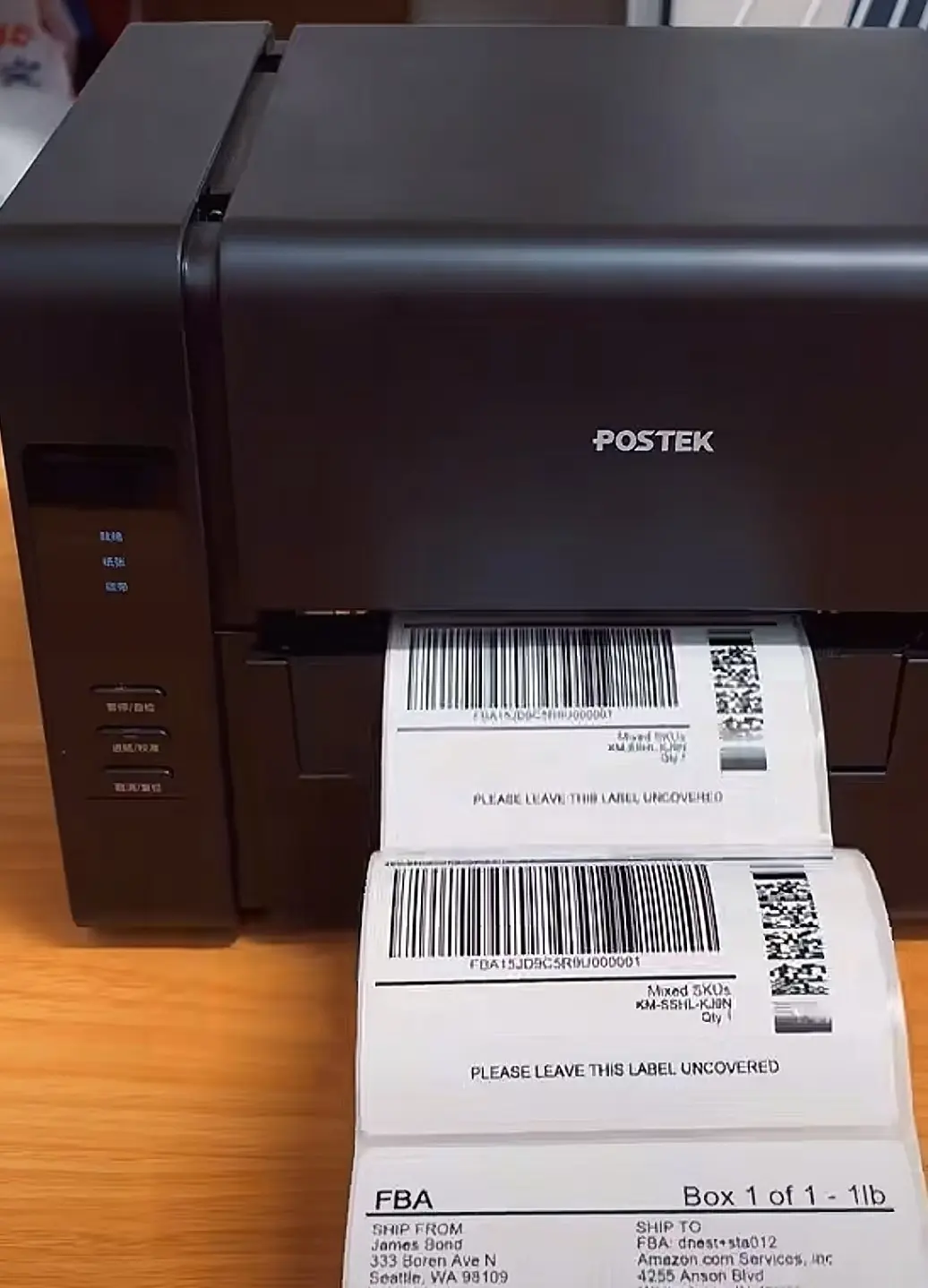
Barcode scan verification for FBA labels means scanning each printed and applied label with a handheld scanner to confirm three things: the barcode decodes, the decoded value matches the correct SKU or FNSKU, and the code has not been used before. Counts are then reconciled so the number of labels applied matches the number of units and the carton contents. Any mismatch is pulled, reprinted and rescanned before packing. This is how we check FNSKU, Transparency, carton, SKU and product barcode labels in our Shenzhen warehouse. It is a checking process, not a guarantee, but it catches most label errors while they are still easy to fix.
Label errors are cheap to fix in the warehouse and expensive to fix after goods reach Amazon. This post explains the errors that cause problems, how scanning catches each one, and the steps we follow.
The Label Errors That Cause FBA Problems
Most labeling problems fall into five groups.
Unreadable barcodes. The label is applied, but a scanner cannot read it. Causes include poor print quality, low contrast between bars and background, a wrinkled or bubbled label, a missing quiet zone (the blank margin on each side of the barcode), or a label placed over a curve, seam or edge.
Wrong label on the wrong variant. The barcode reads fine, but it belongs to a different product. This is common with size and color variants that look alike: a medium labeled as a large, or a black item labeled as navy. The unit then gets received as the wrong SKU.
Duplicate Transparency codes. Transparency codes are unique per unit. If the same code is printed or applied twice, one of the units may fail Transparency checks.
Missed units. A unit goes into the carton without a label, or a label is applied to nothing and discarded.
Carton label mismatches. The carton label or box contents information does not match what is actually inside the carton.
Error, Cause, and How Scanning Catches It
| Error | Common cause | How scanning catches it |
|---|---|---|
| Unreadable barcode | Poor print, low contrast, wrinkled label, missing quiet zone, label over a curve or seam | Scan readback fails, so the label is pulled and replaced |
| Wrong label on wrong variant | Similar-looking sizes or colors, mixed label rolls | Scanned value is matched against the SKU or FNSKU list for that product |
| Duplicate Transparency code | Reprint of the same code, label applied twice | Duplicate scans are flagged |
| Missed unit | Unit packed without a label | Count of labels applied is reconciled against unit count |
| Carton label mismatch | Carton label printed for a different carton or quantity | Carton label is scanned and checked against the scanned unit contents |
Our Process, Step by Step
- Load the reference list. Before labeling starts, we load the SKU and FNSKU list for the order, and the list of Transparency codes where the brand is enrolled.
- Print labels. FNSKU, Transparency, SKU and carton labels are printed in-house.
- Scan printed labels. A sample or full run of printed labels is scanned to confirm they decode before they are applied.
- Apply and scan each unit. After a label is applied, it is scanned. The scanner confirms it reads, and the value is checked against the expected SKU or FNSKU for that product.
- Flag duplicates. Each Transparency code or serial is recorded when scanned. If the same code appears again, it is flagged.
- Reconcile counts. Labels applied are compared to units counted and to the planned carton contents.
- Pull and fix mismatches. Any label that does not read, does not match, or is a duplicate is pulled, reprinted and rescanned before packing.
- Scan carton labels. Each carton label is scanned and checked against the units packed inside before the carton is sealed.
The aim is that nothing is sealed until its labels have been scanned and the counts match.
Print Quality Basics
Good scanning starts with good printing.
Thermal transfer vs direct thermal. Direct thermal printing uses heat-sensitive labels and no ribbon. It is simple but can fade with heat, light and time. Thermal transfer printing uses a ribbon to transfer ink onto the label, which usually lasts longer and resists rubbing. For labels that travel by sea and sit in storage, thermal transfer is often the more durable choice.
Quiet zone. A barcode needs blank space on each side so the scanner can find where it starts and ends. Labels trimmed too close, or placed so that an edge or seam cuts into the margin, may not read.
Contrast. Black bars on a white label read best. Colored or transparent labels can lower contrast.
Label size. FNSKU labels are commonly between 1 x 2 inches and 2 x 3 inches. Follow Amazon’s label size guidance in Seller Central for your marketplace.
Placement. Apply labels to a flat surface. Avoid curves, seams, edges and areas where the label could wrinkle. Cover any other scannable barcodes on the unit if Amazon’s rules require it.
Code 128 and Transparency Codes
FNSKU barcodes use Code 128, a linear barcode format. A handheld scanner reads it and returns the FNSKU value, which can then be compared to the expected value.
Transparency codes are different. They are unique 2D codes issued by Amazon for each unit, and each one should only be used once. That is why duplicate checking matters for Transparency in a way it does not for FNSKU, where many units share the same code.
What Scanning Does and Does Not Do
Handheld scanning confirms that a barcode decodes and that its value is correct. It does not grade print quality to a formal standard. Formal barcode grading, such as to ISO/IEC 15416, requires a barcode verifier, which is a different instrument. Scanning is a practical check that a label works and is the right one.
FAQ
What is barcode scan verification for FBA labels?
It is the process of scanning each printed and applied label to confirm it can be read, matches the correct SKU or FNSKU, is not a duplicate, and that label counts match unit and carton counts.
Why do Transparency codes need duplicate checks?
Each Transparency code is unique to one unit. If a code is used twice, one unit may fail Transparency checks. Recording every scan lets duplicates be flagged.
Is a handheld scanner the same as a barcode verifier?
No. A scanner confirms the barcode reads and returns its value. A verifier grades print quality against formal standards. We use scanners as a readability and accuracy check.
What label size should FNSKU labels be?
They are commonly between 1 x 2 inches and 2 x 3 inches. Follow Amazon’s current label size guidance in Seller Central.
Labels Printed and Checked In-House
We print FNSKU, Transparency, carton and product barcode labels in-house and scan them as described above. See label printing for print options, and FNSKU labeling for unit and carton labeling before goods ship to Amazon.