
Amazon Prep
Amazon FBA Capacity Limits: How to Plan Around Them

By Alice Wu, CEO & Founder · Editorial policy Published
Short answer
FBA capacity limits cap how much inventory you can store and send to Amazon each month, measured in cubic feet. They cover units on hand plus open inbound shipments. Amazon sets them from sales forecasts and inventory performance. Plan by forecasting, holding buffer stock in a China warehouse and sending smaller, more frequent replenishments.
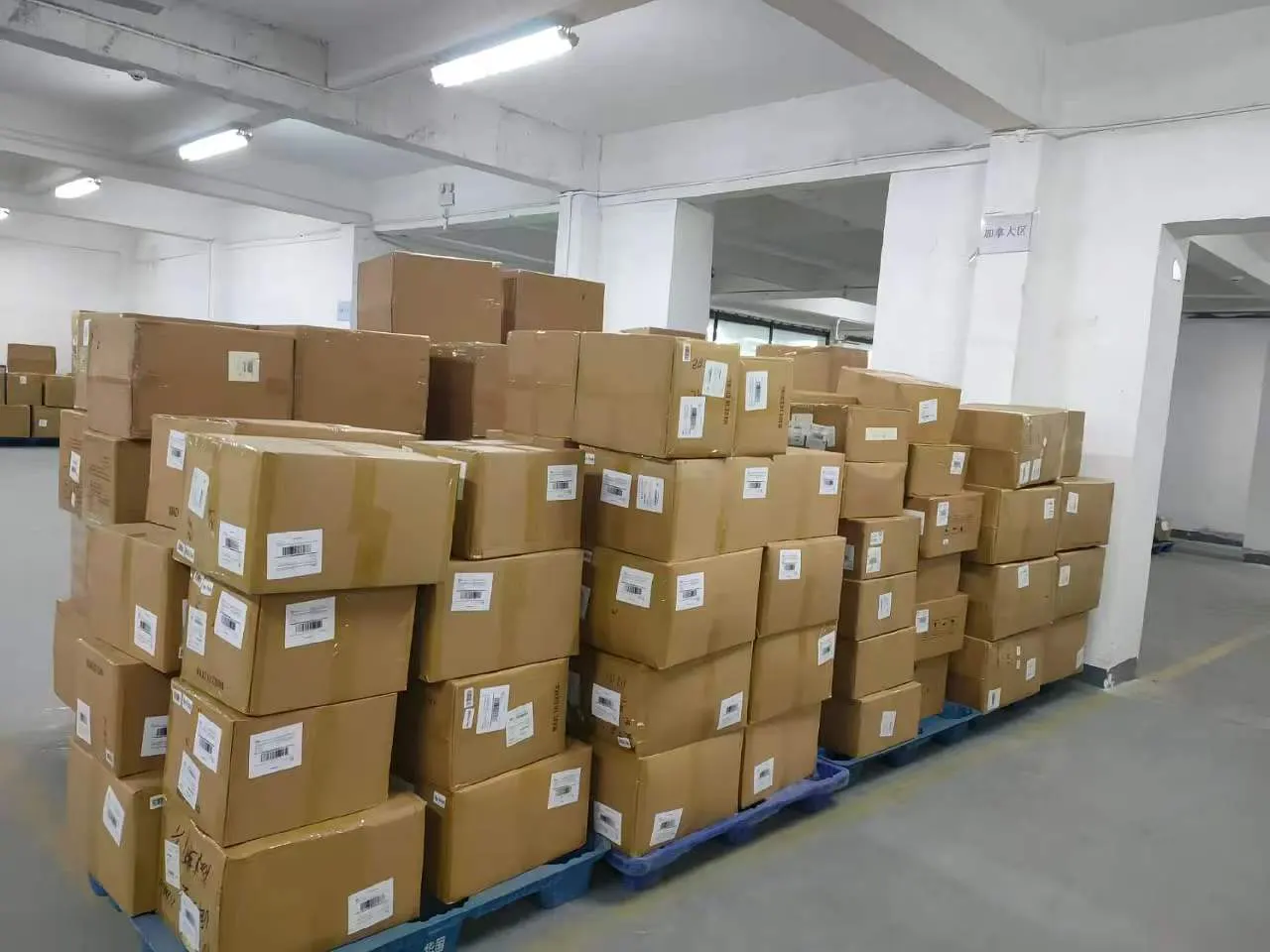
FBA capacity limits are the cap Amazon sets on how much inventory you can send to and store in its fulfillment network, usually measured by volume. If your on-hand stock plus open shipments would go over the limit, you cannot create new inbound shipments until space frees up.
For sellers sourcing from China, this matters more than for most. Sea freight lead times are long, minimum order quantities can be large, and a full production run often will not fit inside your FBA limit at once. The answer is to plan where the rest of the stock waits and how it moves into Amazon. This guide explains how limits work, where to find them, and how to plan around them.
Amazon changes the details of its capacity system from time to time. We describe the structure as Amazon presents it in Seller Central. Always check your own account for the current rules and numbers.
What Capacity Limits Measure
Amazon describes capacity limits as a way to manage space in its network, especially during demand surges. The key ideas are:
- Volume, not units. Limits are usually expressed in cubic feet, by storage type. Standard-size goods and oversize goods can have separate limits.
- On-hand plus inbound. Your usage includes inventory already in fulfillment centers plus inventory in open shipments heading there. Creating a shipment uses up capacity before the goods arrive.
- Monthly, with a forecast. Amazon sets a limit for the current month and shows estimates for the following months, so you can plan ahead.
Amazon has also used ASIN-level or SKU-level restock limits at times, alongside account-level limits. If a single product has its own cap, that can block a shipment even when your account still has space.
How Amazon Sets the Limits
Amazon does not publish an exact formula. It describes the main inputs in general terms:
| Factor | How it affects your limit |
|---|---|
| Sales history and forecast | Faster-selling inventory generally earns more space |
| Inventory performance (IPI score) | Better scores have tended to support higher limits |
| Excess and aged inventory | Slow-moving stock uses space without selling, which hurts performance |
| Stranded inventory | Units that cannot be sold still take up space |
| Network capacity | Amazon’s own available space, which changes by season |
| Account age and type | Newer accounts and individual accounts have been treated differently from established professional accounts |
The theme is sell-through. Amazon wants space used by products that sell. If your inventory moves quickly and your listings are healthy, limits tend to follow your sales. If stock sits, limits tend to shrink.
The role of IPI
The Inventory Performance Index (IPI) is a score Amazon shows in Seller Central. It reflects things like excess inventory, sell-through, stranded inventory and in-stock rate. Amazon has linked capacity limits to inventory performance, and the IPI is the clearest single view of how Amazon sees your inventory health. Treat it as a planning signal, not a target to game.
Where to Find Your Limits in Seller Central
Amazon shows capacity information in its FBA inventory area. Look for:
- Capacity Monitor. This shows your current limit, how much you are using, and estimated limits for upcoming months. It is usually found within the FBA inventory dashboard.
- Inventory Performance page. This shows your IPI score and the factors behind it, such as excess and stranded inventory.
- Send to Amazon warnings. When you create a shipment, the workflow warns you if the shipment would exceed your limit.
Amazon has also offered a Capacity Manager, where sellers can request extra capacity by bidding a reservation fee. Amazon has offered performance credits that can offset some of that fee if the extra space is used well. The rules and availability change, so read the current terms before relying on it.
Planning Around Capacity Limits
Capacity limits turn FBA into a “just enough” stocking model. The practical answer is to split your inventory into two parts: what sits in Amazon and what waits upstream.
1. Forecast in cubic feet, not just units
Convert your sales forecast into volume. Multiply units per month by the volume of each unit as stored. Then compare that with your monthly limit. This shows how many weeks of stock you can actually hold in FBA.
2. Hold buffer stock in China
Instead of shipping a full production run to Amazon, ship it to a warehouse near the factory. Keep the balance there and send replenishment as FBA space allows. This has several benefits:
- Goods are already inspected, labeled and packed into FBA-ready cartons.
- You can ship smaller batches without waiting for a new production run.
- You avoid tying up FBA space with months of stock.
3. Send smaller, more frequent replenishments
Smaller shipments fit inside capacity limits more easily and keep sell-through healthy. The trade-off is freight cost per unit and possibly a higher inbound placement fee on smaller shipments. Our guide to the Amazon inbound placement fee explains how shipment size affects that fee.
4. Leave room for lead time
Capacity covers open shipments, so space is used when you create the shipment. Long sea freight lead times mean capacity is tied up for a while before units can sell. Factor that in when you set reorder points.
5. Plan around peak season
Capacity tends to tighten in the run-up to the holiday season, while freight also gets busier. Plan your Q4 stock early and check estimated limits for the coming months. Our guide to peak season shipping around Chinese New Year and Q4 covers the freight side.
6. Fix stranded and excess inventory first
Before asking for more space, clear what is wasting it. Fix listing problems that strand inventory. Consider removals, promotions or liquidation for aged stock. This frees capacity and supports better inventory performance.
A Simple Replenishment Model
| Stage | Where the stock sits | What happens |
|---|---|---|
| Production | Factory | Goods made to your order quantity |
| Buffer | Warehouse in China | Inspected, labeled, packed into FBA cartons, held |
| Replenishment | In transit | Batch shipped when FBA space and sales forecast allow |
| Selling stock | Amazon fulfillment centers | Kept to a few weeks or months of cover within your limit |
This model works best when the warehouse can label and pack ahead, so a replenishment shipment is ready to go when you create it in Send to Amazon.
Amazon outlines how FBA works on its Fulfillment by Amazon overview. Account-specific limits appear only in Seller Central.
Frequently Asked Questions
Do FBA capacity limits count shipments that have not arrived yet?
Yes. Amazon counts inventory in open inbound shipments toward your usage, along with stock already in fulfillment centers. Creating a shipment uses capacity right away. Cancel or adjust shipments you no longer plan to send so they stop using space.
Why did my capacity limit drop when my sales did not?
Limits also depend on Amazon’s available network space and on inventory performance factors such as excess, aged and stranded stock. Seasonal changes in Amazon’s own capacity can reduce limits too. Check your Inventory Performance page for signs of slow-moving or stranded inventory.
How much buffer stock should I keep in China?
It depends on your sales rate, freight lead time and FBA limit. A practical approach is to keep enough in China to cover the gap between your next production run and what FBA can hold. Review the balance monthly against your forecast.
Can I split one production order into several FBA shipments?
Yes. Many sellers receive a full order at a warehouse in China and send it to Amazon in batches as space allows. Each batch is created as its own shipment in Send to Amazon.
How We Can Help
At our warehouse in Longhua, Shenzhen, we can hold your buffer stock after inspection and labeling, and send FBA replenishment in batches by sea, air or express when you are ready. See our warehousing and consolidation service, or contact us to plan a replenishment schedule. We reply Monday to Saturday within 12 hours.